You put a pot of stock on a low simmer, leave for the school run, and spend the next twenty minutes wondering whether you actually turned the burner down or just thought about it. Or you’re three hours into a road trip and the grocery delivery you forgot to reschedule is sitting on the porch in July heat.
These are small anxieties, but they’re the ones that nag. And they’re the reason a lot of home cooks end up with a camera pointed at the kitchen counter long before they ever think about perimeter security.
Remote viewing used to mean a dedicated monitor in a back room. Now it means pulling out your phone in the parking lot of a grocery store. Here’s how people in this community handle it, including the compromises they make along the way.
The Rooms People Point A Camera At First
Most people who buy a camera start at the front door, then realize the door isn’t where their attention goes. The kitchen is. A camera that shows you the stove, the counter and whoever just wandered in for a snack answers more daily questions than one watching an empty porch.
A second common spot is wherever the deliveries land. Produce boxes, meat subscriptions and anything cold have a window before they stop being worth unpacking, and knowing the exact moment something arrived changes what you do about it.
The third spot is usually about living things rather than property. A dog who gets into the trash, a toddler’s room, an older relative who lives alone. The hardware doesn’t care which it is.
What Remote Viewing Requires From Your Home Network
Any modern camera, whether it’s a doorbell unit, a wired CCTV system or a phone running camera software, can be viewed from somewhere else. Footage travels over your home internet connection to an app or a browser, and you watch it from wherever you happen to be.
The part people underestimate is the network. A weak upload speed at home or a thin mobile signal where you’re standing means the feed stalls, buffers, or refuses to load at all. That’s rarely the camera’s fault and usually the connection’s.
Decide early whether you want recordings or just a live view, since those are different features, and cloud storage for clips is often where free tiers end and subscriptions begin.
Turning An Old Phone Into A Kitchen Camera With Alfred Home Security Camera
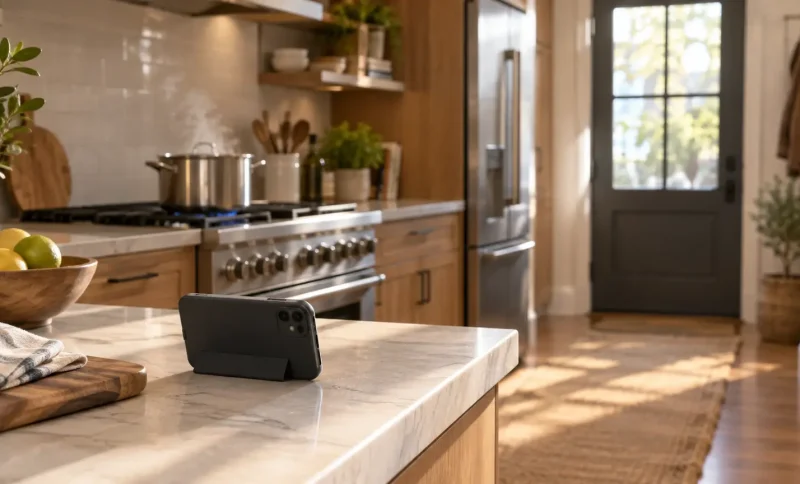
A lot of households already own the hardware. That drawer with the retired handsets in it holds two perfectly good cameras, and repurposing one costs nothing but a charging cable and a spot on the shelf.
That’s the idea behind Alfred Home Security Camera, from the developer listed as Alfred Labs Inc., which turns an old smartphone or tablet into a live camera you can watch from your current phone. Motion alerts, night vision, zoom and a walkie-talkie function are included, which covers the odd case where you want to tell the dog to get off the counter from two states away. For anyone who prefers watching the kitchen feed on a larger screen while working, it also runs on a Windows PC, and you can download Alfred Home Security Camera for desktop rather than squinting at a phone all afternoon.
The trade-off is honest: a propped-up old phone is not a weatherproof, wide-angle security camera. It’s a camera that costs nothing and watches the one room you care about most.
Making Motion Alerts Useful Instead Of Annoying
The fastest way to abandon a camera is to let it notify you about everything. Sunlight shifting across a kitchen floor will trigger motion detection all afternoon, and after the fortieth ping you stop reading them.
A few adjustments that tend to help:
- Narrow the detection zone to the doorway or the stove area rather than the whole room
- Turn sensitivity down until pets stop setting it off, then test it once by walking through
- Set quiet hours for times when movement in the house is expected
- Keep alerts on for the entry points and off for interior rooms you pass through constantly
The goal is a camera that interrupts you maybe twice a week, not twice an hour. That’s when people keep using them.
Privacy, Houseguests And The Rest Of The Household
Cameras inside a home raise questions that outdoor ones don’t. Anyone who lives there should know which rooms are covered, and a visible camera on the counter is more honest than a hidden one.
House sitters, cleaners and the teenager’s friends fall into the same category. Telling people a camera is running in the kitchen takes one sentence and avoids a much longer conversation later.
Bedrooms and bathrooms are off the table. Most people settle on common areas, entryways and anywhere there’s a stove.
When A Phone Camera Isn’t The Right Tool
There’s a point where repurposed hardware stops being enough. If you want continuous recording, outdoor coverage in bad weather, or footage that holds up as evidence, purpose-built cameras and a recorder do that better.
Plug-and-play doorbell systems handle the front step well. Wired systems with local storage suit anyone who doesn’t want recordings living on someone else’s servers. Both cost real money, and both take an afternoon to install properly.
One caveat worth carrying into any of this: a camera tells you what happened, not what’s about to. It won’t turn off a burner or move a box of groceries out of the sun. What it buys you is the chance to call a neighbor ten minutes sooner, which, most of the time, is the whole point.